Guest Post: Manuel Edghill, Digbil
Is it time to yank OPS from the digital signage lexicon?
Launched in 2010, a hardware standard named Open Pluggable Specification (OPS) was released, aiming to reduce digital signage market fragmentation and simplify device installation and maintenance. It has largely failed to achieve these objectives, due to high implementation costs, and lack of widespread industry adoption.
OPS was a good idea when it launched, but times have changed. Displays of yesteryear were thick and required metal chassis to deal with high thermal levels. OPS was seen as a compact, cost-effective solution to fit into such environments. However, the last four years have seen dramatic advances in display and computing technology. OPS is now an expensive, over-engineered solution that is ill-fit for many applications.
Hardware specifications like OPS risk stifling innovation by locking people into a pre-defined blueprint that fails to account for future advancements in technology.
If your digital signage application involves more than one display, you should consider these questions before choosing OPS as the brains behind your hardware.
1. Is minimizing the cost per channel in your digital signage use case important?
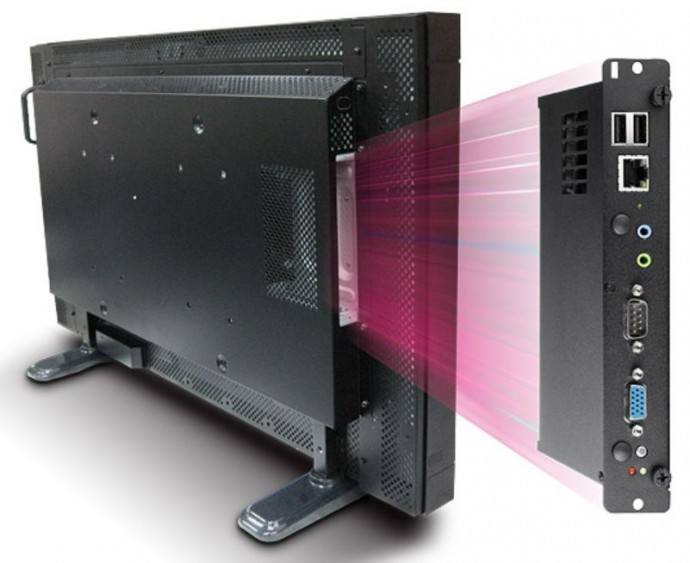
In an OPS architecture, every display requires its own OPS module. What this means is that every display requires a processor and all the internal components that comprise a mini PC. On top of that, being small in size brings additional costs stemming from the miniaturization of its technology. In synthesis, what is great news for vendors selling OPS is not so good for your budget.
In a retail application with five signs, you could easily spend in excess of $4,000 USD on OPS modules alone.
2. Would you like to have synchronized multi-screen content, or content which spans across multiple screens?
The most impressive digital signage applications are those that make you stop in your tracks with extraordinary content. A great way this can be achieved is when content spans across multiple screens, and even interacts with the screen’s layout.
How can this be accomplished in an OPS architecture? It can’t. At least not in an easy, reliable, synchronized manner. Instead, each display is treated as an independent entity for content scheduling and playback purposes, making it extremely difficult for your average signage user to accomplish.
3. Is serviceability and ease of replacement important when something goes wrong?
OPS modules are typically found inserted in the bottom or side of the displays. One large problem with this is accessibility when maintenance is required. If your application has screens in an inaccessible location, such as high off the floor like in menu boards, how will you service the unit without having to climb up a ladder, or even worse, interrupting your sales process?
We have seen multiple installations with screens installed next to each other, effectively blocking access to the OPS module once installed. What happens if the OPS module fails? Not only could replacing it be tricky from an accessibility standpoint, but also quite a costly proposition when you account for the time spent by the maintenance guy climbing up and servicing the modules.
Even if your use case only calls for a single screen, with simple video playback and no need for advanced features like demographics analysis, OPS is still ill-suited for the task.
A much better option would be one of the myriad of cheap players that support such uses.